Tools
Understanding Hex Colors in Web Design
By Ecosys World Editorial Team · Published on 2026-07-25
A designer's guide to hex color codes, RGB values, and color theory.
What Is a Hex Color Code?
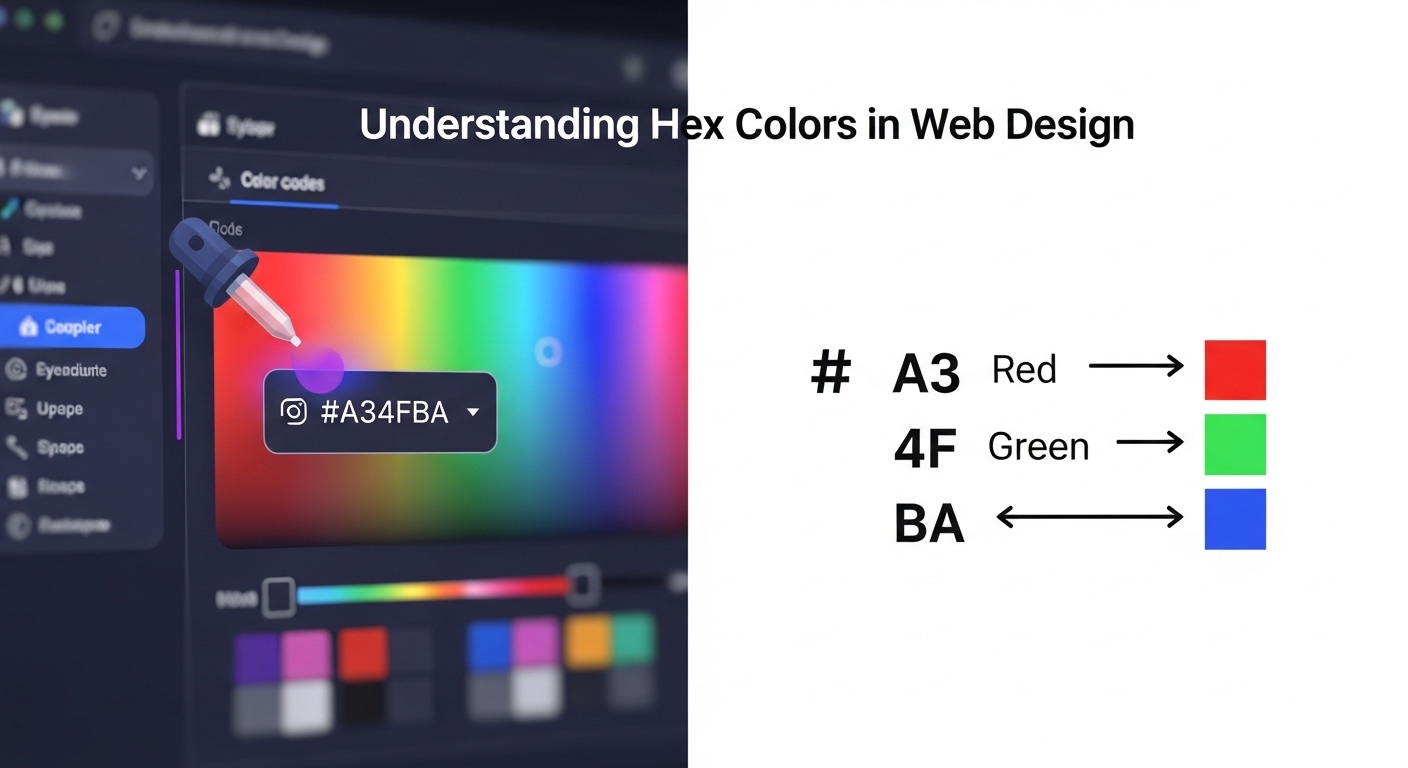
A hex color code is a six-character alphanumeric code that represents a specific color in the RGB color model. The code begins with a # symbol followed by three pairs of hexadecimal digits (0–9 and A–F), each pair representing the intensity of red, green, and blue respectively on a scale from 00 (none) to FF (maximum). #FF0000 is pure red, #00FF00 is pure green, #0000FF is pure blue. #FFFFFF is white (all channels at maximum) and #000000 is black (all channels at zero).
Understanding the RGB Color Model
Screens display color by mixing red, green, and blue light — the additive color model. Unlike paint (subtractive color, where mixing all colors produces black), mixing all three RGB channels at full intensity produces white. Hex codes are simply a compact notation for RGB values: #1A2B3C decodes to R=26, G=43, B=60 in decimal. Understanding this relationship helps you intuit color behavior: equal values of R, G, and B always produce a grey; high R and G with low B produces yellows and oranges.
Shorthand Hex Codes
CSS supports a three-character shorthand for hex codes where each character is doubled. #RGB expands to #RRGGBB, so #F0A is equivalent to #FF00AA. This shorthand only works when each pair of characters in the full code is identical — #FF8844 can be written as #F84, but #FF8845 cannot be shortened. The shorthand is useful for reducing file size in large stylesheets, though modern CSS minifiers handle this automatically.
Color Theory for Web Designers
Effective web design uses color deliberately rather than arbitrarily. Complementary colors (opposite on the color wheel) create high contrast and visual energy — blue and orange, red and green. Analogous colors (adjacent on the wheel) create harmony and cohesion. A 60–30–10 rule is a reliable starting point: 60% dominant color (backgrounds, large areas), 30% secondary color (cards, headers), 10% accent color (CTAs, highlights). Tools like Coolors and Adobe Color generate harmonious palettes from a single seed color.
Accessibility and Color Contrast
Web accessibility standards (WCAG 2.1) specify minimum contrast ratios between text and background to ensure readability for people with visual impairments. Normal text requires a contrast ratio of at least 4.5:1; large text (18pt+) requires 3:1. Our hex-to-RGB converter provides the values needed to calculate contrast ratios using the WCAG formula. Dark grey (#333333 or similar) on white provides far better contrast and is less fatiguing than pure black (#000000) while still meeting all accessibility thresholds.